
How To
Learn how to open and create secure .cake files with Honeycake. Whether you're opening a file, baking from Gmail or Outlook, or baking with the desktop app, we've got you covered.
How To Open a .cake File
Learn how to open .cake files using the Honeycake mobile app or the web browser (no app required).
iPhone, iPad & Mac
Open .cake files on any Apple device with the Honeycake Files app, free on the App Store for iPhone, iPad, and Mac.
Steps:
- Install Honeycake Files from the App Store
- Tap the .cake file on iPhone or iPad (via email, Messages, or other apps), or double-click it on your Mac
- If asked, choose "Open with Honeycake"
- Authenticate using your email and pin
- Once authenticated, the file will decrypt and open automatically
Mobile Tips
If you don't see "Open with Honeycake" in the share menu, make sure the Honeycake app is installed. You can also save the file to Files and open it from there using the Honeycake app.
Android App BETA
Open .cake files on your Android phone or tablet. The Android app is in beta and available on Google Play.
Steps:
- Install Honeycake from Google Play
- Tap the .cake file when you receive it (email, Drive, or another app)
- Choose Honeycake when Android asks how to open it
- Sign in with your email address
- The file decrypts on your device and opens
Beta Note
Android is in active beta on the way to full parity with iOS, macOS, and Windows. Details and known limitations are on the Android beta page.
Windows App
Open .cake files on your PC with the Honeycake app for Windows, available from our download page.
Steps:
- Install the Honeycake app from the download page
- Double-click the .cake file you received (the installer registers the .cake file type)
- Sign in with your email and pin
- The file decrypts on your machine and opens
Desktop Bonus
The Windows and Mac desktop apps also carry the full redaction toolkit: Layer Bake™ and Parbake™ are desktop-only superpowers.
Web Browser
No app required! Open .cake files directly in your computer's web browser.
Steps:
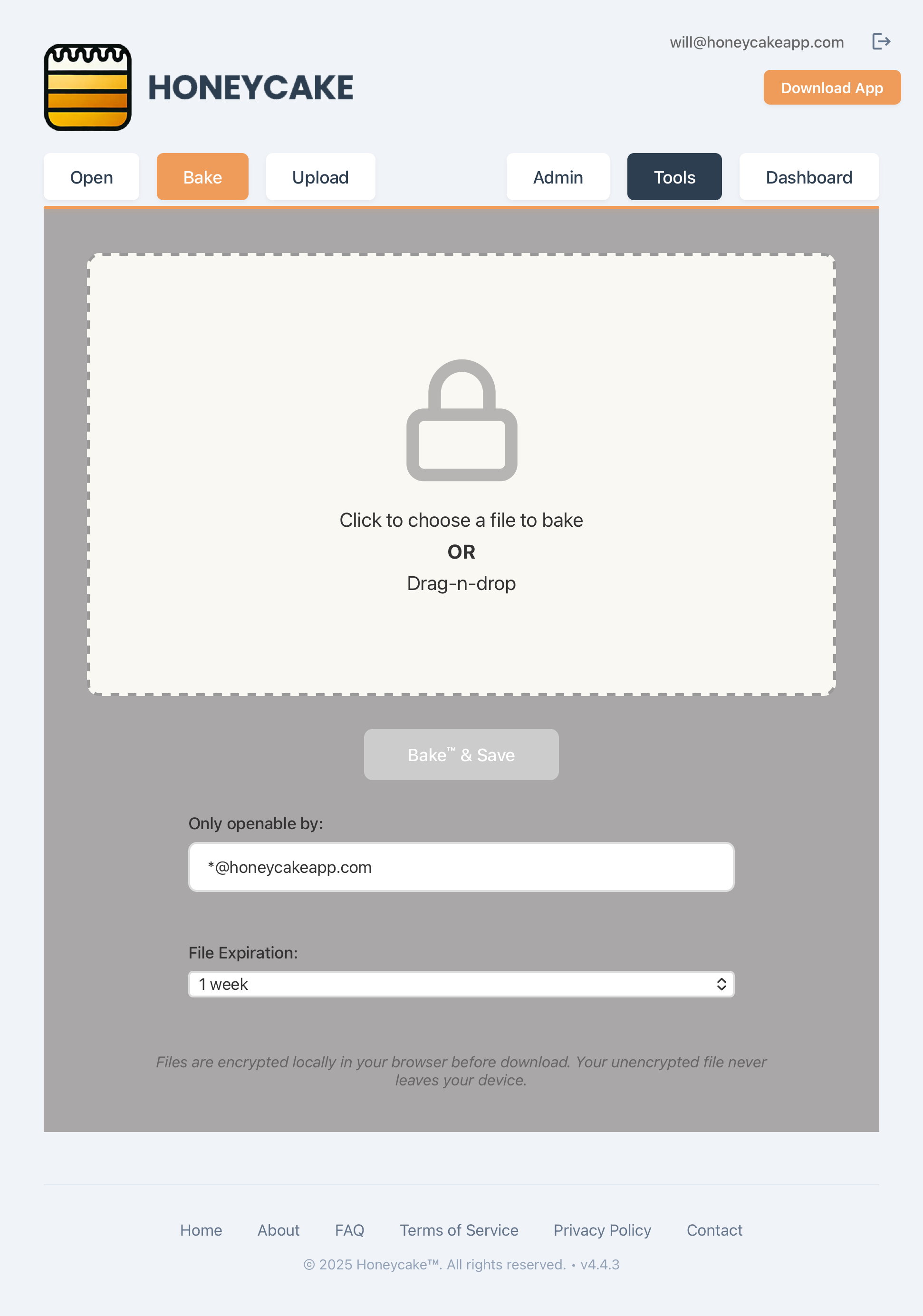
- Navigate to opener.honeycakefiles.com
- Sign in with your email address (the address the file was keyed to)
- Drag your .cake into the Bake / Open drop zone, or click to choose it
- The file decrypts locally in your browser and saves to your downloads
Web Browser Tips
The web opener works on any device with a modern web browser - no installation required. Perfect for quick access or when you can't install the app.
Opening a Wrapped Cake (.cake.pdf)
A wrapped cake ends in .cake.pdf and is a real PDF. Double-clicking or tapping it opens your normal PDF viewer, where everyone sees the cover and the redacted view. To unlock the protected content, you have to hand the file to Honeycake yourself:
Steps:
- On desktop: drag the .cake.pdf into the Honeycake app, or drop it into the web Bake / Open zone (double-clicking only opens the PDF viewer)
- On iPhone/iPad: open the Share sheet on the PDF and choose Honeycake
- On Android: share the PDF to Honeycake, or open it from inside the app
- Sign in if asked. If you are authorized, the full unredacted original opens
Why the extra step?
That dual life is the point: the same file works as a normal PDF for everyone and as the protected original for authorized readers. Your device sees a PDF, so it sends it to a PDF viewer; Honeycake only gets involved when you bring the file to it. See Parbake under Advanced Features for how these files are made.
How To Bake™ from Gmail
Install the Honeycake Chrome extension and a Bake button appears in every Gmail compose window. Attach the file, set who can open it, send.
Chrome Extension for Gmail
Free on the Chrome Web Store. The attachment is encrypted inside your browser before it ever leaves your machine.
Steps:
- Install the Honeycake Encryption extension from the Chrome Web Store
- Open Gmail in Chrome and click Compose
- Attach the file you want to send the way you normally would
- Click the orange Bake button that appears in the compose toolbar
- Confirm or edit who can open the attachment (the To: line is pre-filled)
- Hit Send. The attachment is encrypted locally, then sent as a .cake file
Browser Tip
Works in Gmail on Chrome (desktop). The extension is in beta: baking from a fresh compose works great; forward and reply flows are still being polished. Need to revoke access after sending? Open the Portal and pull keys for a recipient or burn the whole file.
How To Bake™ from Outlook
The Honeycake add-in brings the same Bake button to Outlook. An enterprise feature: your IT team deploys it org-wide.
Outlook Add-in
Once your organization has deployed the add-in, every Outlook compose window gets a Bake button. The attachment is encrypted on your machine before it is sent.
Steps:
- Open Outlook (desktop or web) and click New Email
- Attach the file you want to send the way you normally would
- Click the Bake button in the ribbon
- Confirm or edit who can open the attachment (the To: line is pre-filled)
- Hit Send. The attachment is encrypted locally, then sent as a .cake file
Not seeing the button?
The add-in is available for enterprise deployments. If your organization is not set up yet, ask sales about rolling it out, or check with your IT team.
How To Bake™ with the App
Bake any file from the Honeycake desktop or mobile app. Includes the full redaction toolkit (Layer Bake™ and Parbake™) on the desktop builds.
Launch Honeycake and Authenticate
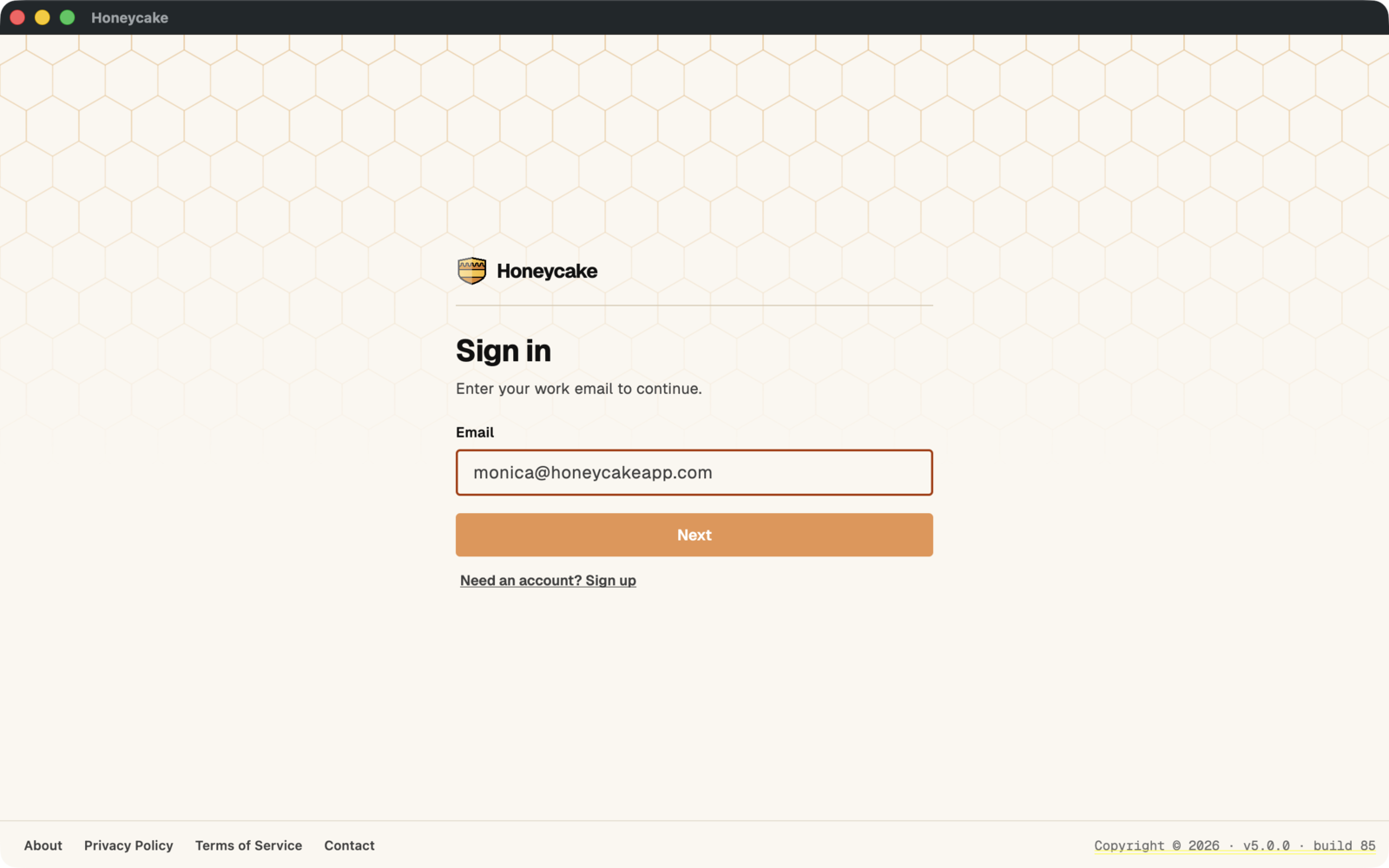
Open the Honeycake application and enter your 4-digit PIN to authenticate and access the main interface.
Security Note
Your PIN is required each time you launch Honeycake to ensure your files remain secure. Choose a secure PIN that you are unlikely to forget. It is an extra layer of security to protect your files, and recovering it or replacing it is intentionally difficult.
Access the Main Interface
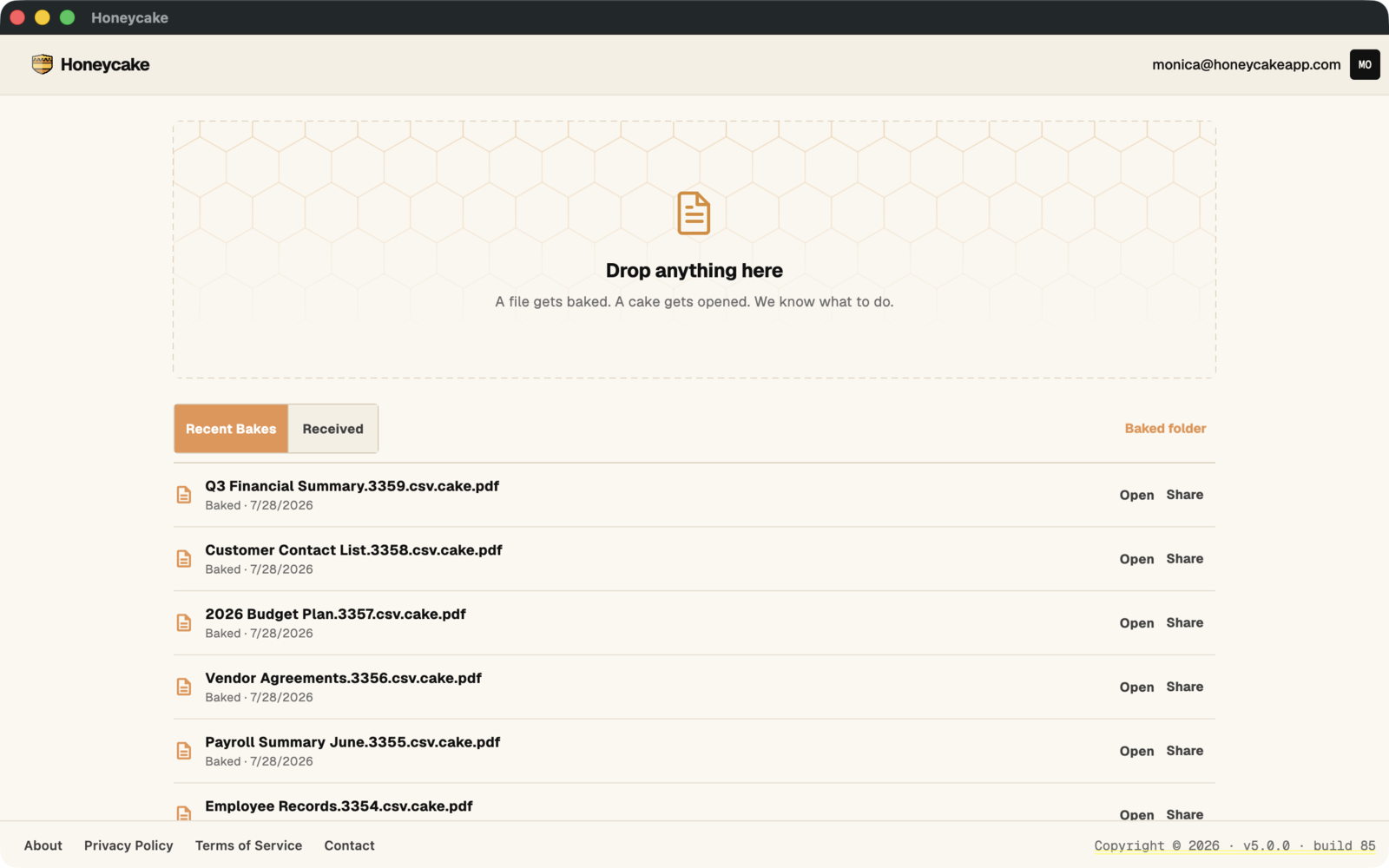
After successful authentication, you'll see the main Honeycake interface with the drag-and-drop area ready for your files. You can also click or tap the Honeycake icon to open a file selection screen.
Pro Tip
From the app you can also change your default baked directory, view your baked files, and manage files you have opened.
Configure File Settings
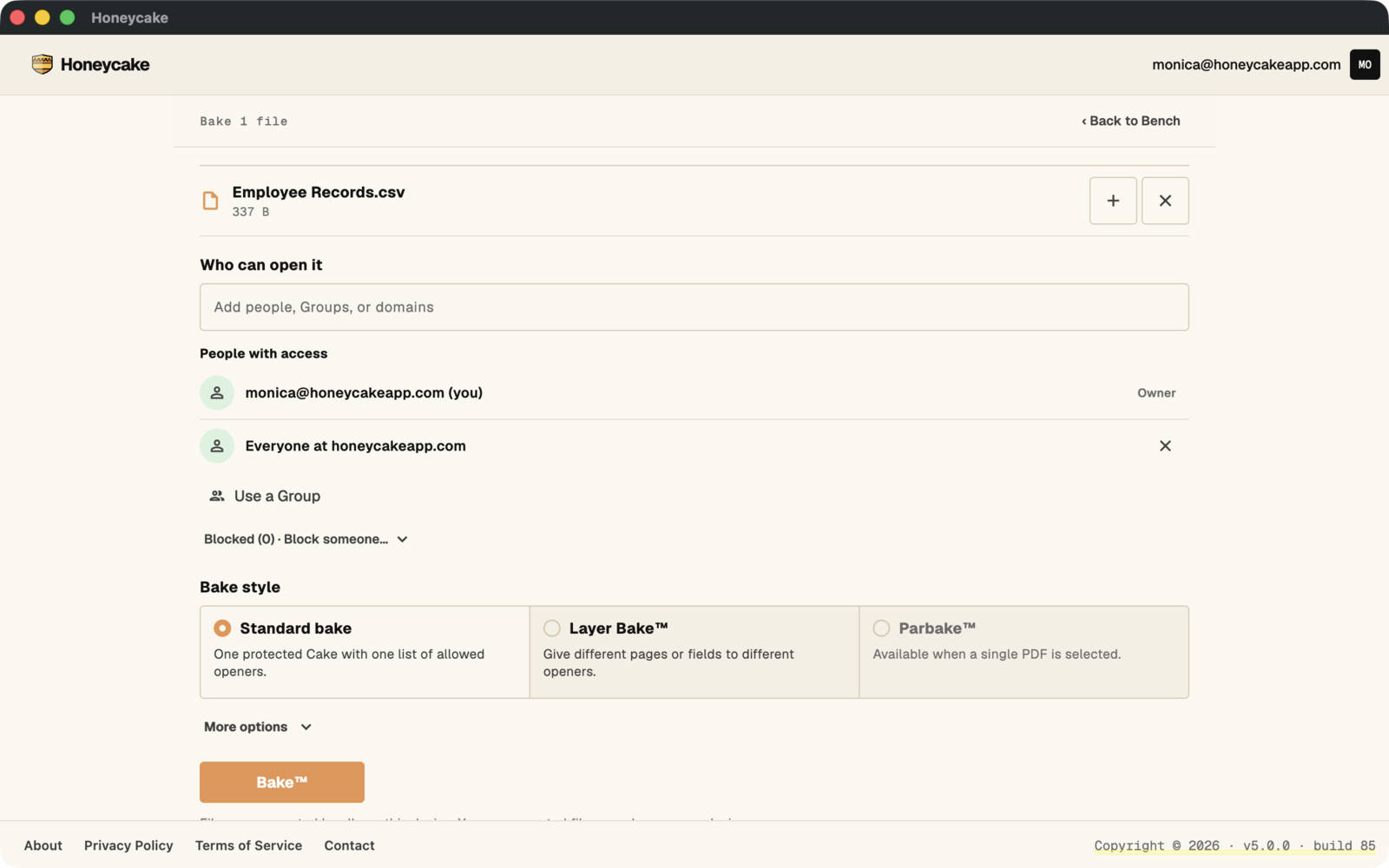
Set up your file security parameters before baking. Configure the display name, expiration date, openable date, and access permissions.
Configuration Options:
- Display Name: The name that will appear for your file
- Expires: How long the file remains accessible (1 Month, 1 Year, etc.)
- Openable Date: Optional future date when the file becomes accessible
- Openable By: Email addresses or domains that can access the file
Access Control
Use wildcards like *@company.com to allow all users from a specific domain, or list individual email addresses separated by commas.
Choose Your Baking™ Method
Select among three baking options based on your security needs:
Bake™
Quick and simple file encryption with basic security settings. Perfect for everyday file sharing.
Layered Bake™
Advanced security with page-level access controls. Ideal for sensitive files requiring granular permissions. Currently only supported for PDF, CSV, TXT, PPTX, XLSX, and JSON files.
Parbake™
A redacted PDF that opens anywhere. Everyone sees black boxes; authorized readers open the same file with Honeycake and see the original. PDF only. Full steps below →
Layered Bake™: One File, Different Access Permissions
For advanced security, use Layered Bake to set different access permissions for specific sections within your file.
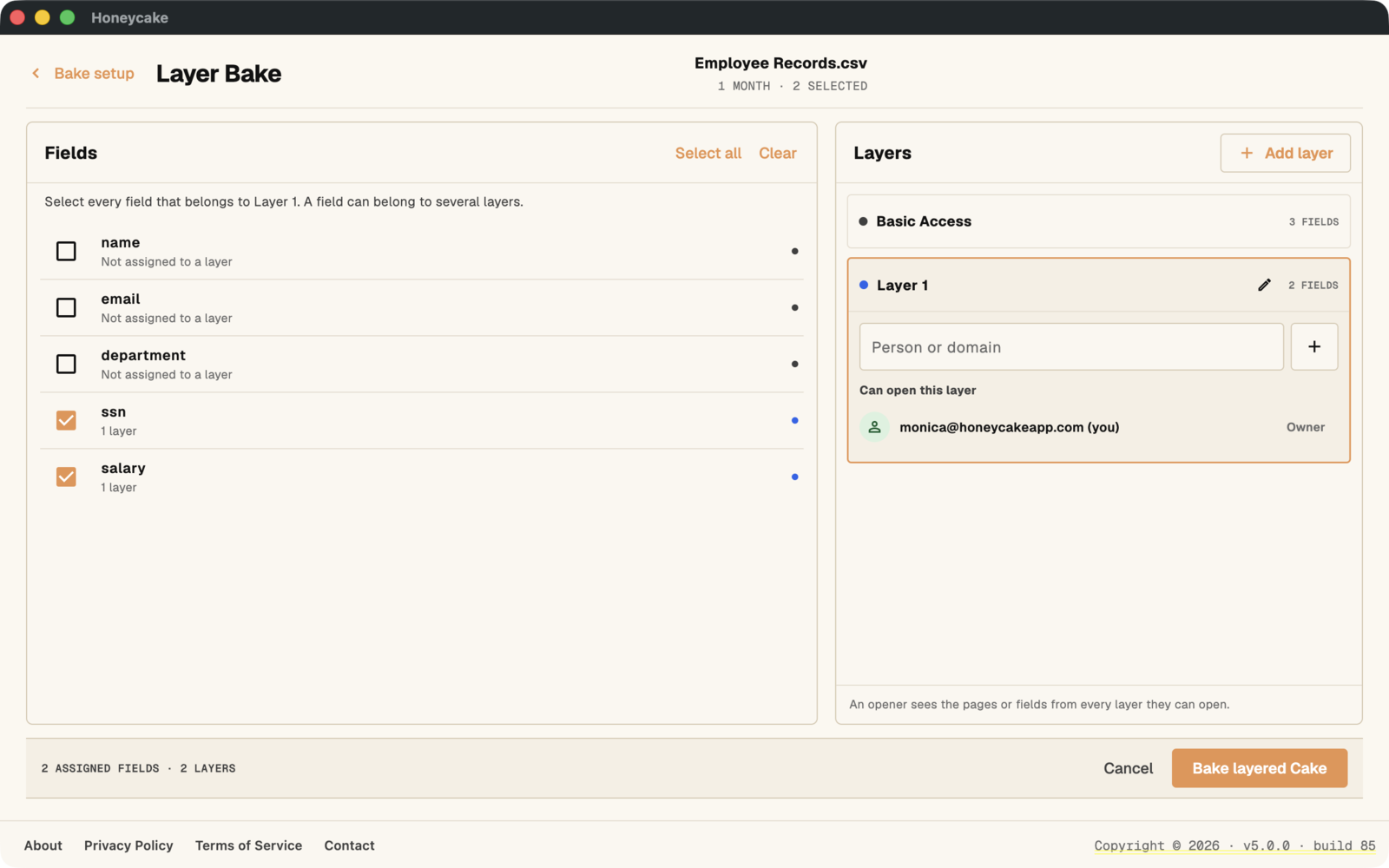
Layered Bake™ Features:
- Select individual sections that need extra security
- Assign different email addresses for each page
- Mix public and private content in the same file
- Perfect for contracts, reports, or presentations with sensitive sections
- Currently only supported for PDF, CSV, TXT, PPTX, XLSX, and JSON files.
Success and File Management
After baking, your file is secure and saved. Only the people you've designated can open it. You can access it through the baked directory or share it directly.
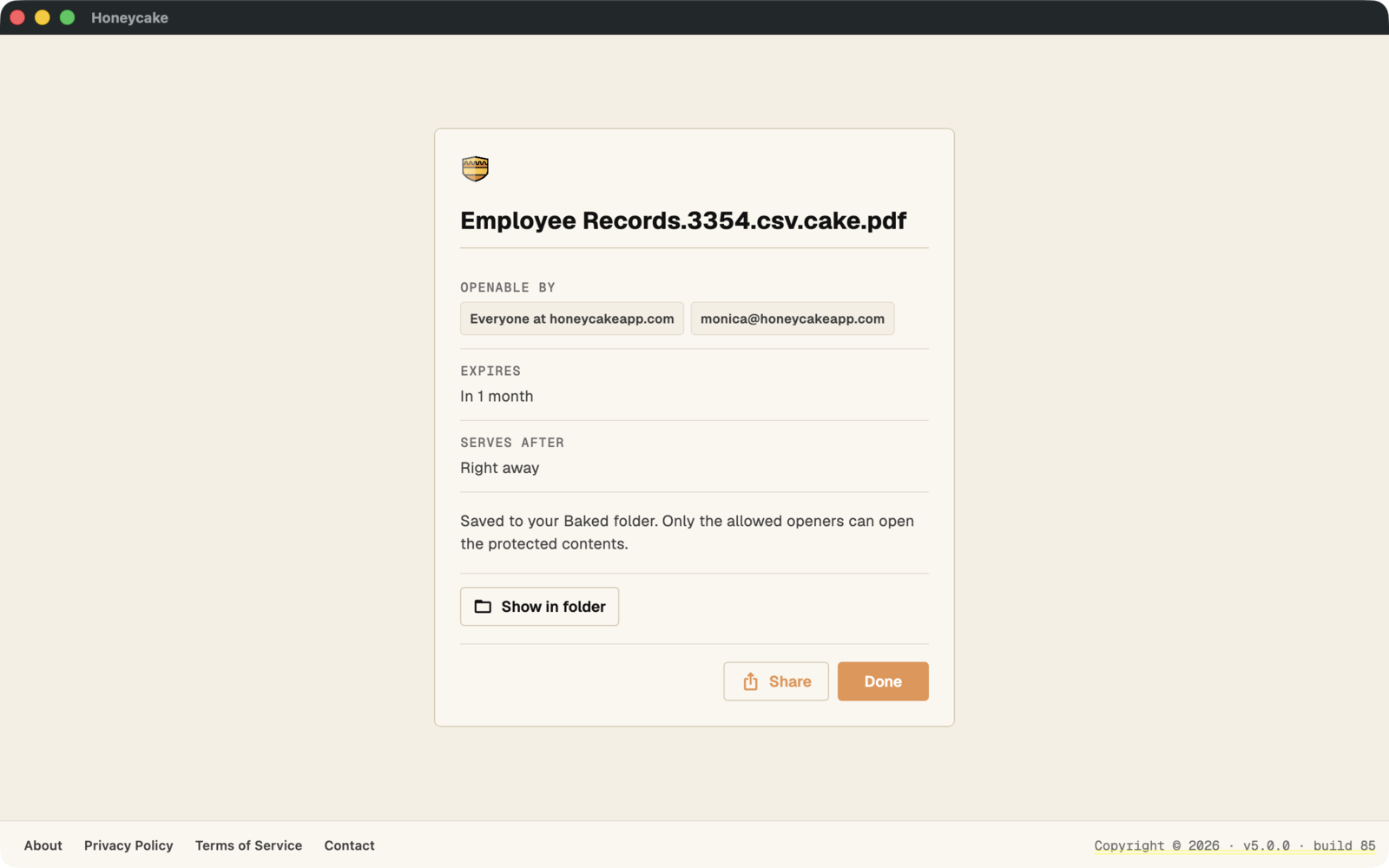
File Management
Click "Open Baked Directory" to access all your secured files, or use the share options to send your file directly to recipients.
Advanced Features
Optional controls for when a simple bake is not enough. Set them in the app when you bake; most are available from the CLI as well.
Parbake™: a redacted PDF that opens anywhere
Parbake produces a .cake.pdf: it opens as a normal PDF for everyone, with your redactions showing as black boxes. Authorized readers open the very same file with Honeycake and see the original. Available in the desktop app and the CLI.
Steps:
- Open a PDF in the desktop app and choose Redaction
- Draw boxes over the sections you want to redact
- Choose who can recover the original
- Bake. You get
yourfile.cake.pdf, which you can share anywhere and it works like a normal PDF - Authorized readers open that same file with Honeycake to see the unredacted original
Know your endings
A par-baked file ends in .cake.pdf and opens as a PDF for everyone. A fully-baked file ends in .pdf.cake and opens only through Honeycake. From the CLI: honeycake bake report.pdf --redaction-sections boxes.json. Full story on the Redaction page.
Expiration Times
Expires sets how long the file stays openable: a week, a month, a year, or never. When it lapses the file shows as Expired and recipients can no longer open it. You can extend a file's life later from the Portal.
Openable Times
Openable Date schedules when a file can first be opened. Send it today; recipients can open it only once the date arrives. Board materials, embargoed announcements, offer letters: sent early, sealed until time.
Cover Letters
Wrapped output carries a visible cover that anyone can read before opening. Use the generated instruction letter (the default), supply your own file as the cover, or choose no cover at all for a pure .cake.
Ingredients
A searchable label baked onto the sealed file: your DMS and your AI can read the label, never the payload. An Ingredients file can also serve as the visible cover. See how Ingredients works →
Ready to Start Baking™?
Download Honeycake today and experience enterprise-grade file security made simple.
Download Honeycake